
Terraform に入門する
zenn.dev
こちらのサイトを参考にしつつ、MacOSにTerraformをインストールしようとしたら怒られました。
主にGitとbrewのエラーについて記載します。
エラーメッセージ
Terraformをインストールしようとしたら、エラー発生。
~ % brew tap hashicorp/tap
Error: git: Invalid bottle tag symbol
Error: 'git' must be installed and in your PATH!
Error: Git is unavailable
ぎ、Git!?
急に出てきたGitに困惑するも、冷静に翻訳するとこう↓
エラー: git の「bottle tag(ボトルタグ)」が不正です。
エラー: 'git' はインストールされ、PATH に通っていなければいけません!
エラー: Git が利用できません。
つまり、brewがGitを呼び出せないらしい。
まずはGitの場所確認。
~ % which git
/usr/bin/git
Gitはあるっぽい。
次に、Gitのバージョン確認。
~ % git --version
xcrun: error: unable to load libxcrun (dlopen(/Library/Developer/CommandLineTools/usr/lib/libxcrun.dylib, 0x0005): tried: '/Library/Developer/CommandLineTools/usr/lib/libxcrun.dylib' (mach-o file, but is an incompatible architecture (have 'x86_64', need 'arm64e')), '/System/Volumes/Preboot/Cryptexes/OS/Library/Developer/CommandLineTools/usr/lib/libxcrun.dylib' (no such file), '/Library/Developer/CommandLineTools/usr/lib/libxcrun.dylib' (mach-o file, but is an incompatible architecture (have 'x86_64', need 'arm64e'))).
お、おおお〜〜〜!?!?
なんかめっちゃ怖いのでてきた…。
要点はこう↓
- 本来 ARM(mac M1/M2/M3) 用の開発ツールが必要
- なぜか Intel 用(x86_64)の Command Line Tools が入っていた
- そのせいで xcrun / git / brew が壊れた
- 解決方法は「Command Line Tools を削除して入れ直す」
Appleシリコン(M1/M2系)なのに、なぜかIntel Mac 用の Command Line Tools が入ってる状態。
だから git 叩くたびに「アーキテクチャ違うやんけ!」って怒られてる。
解決へのステップ
①古い(Intel 用)の Command Line Tools を削除
sudo rm -rf /Library/Developer/CommandLineToolsパスワードを聞かれたら、Macのログインパスワードを入力します。
これで、おかしな x86_64 用のツール群を全削除します。
②正しい(ARM 用)の Command Line Tools を入れ直す
~ % xcode-select --installポップアップがでたら「インストール」をクリックします。
こちらでApple 純正の「開発用コマンド(git 含む)」一式をインストールできます。
所要時間は、おおよそ5分です。
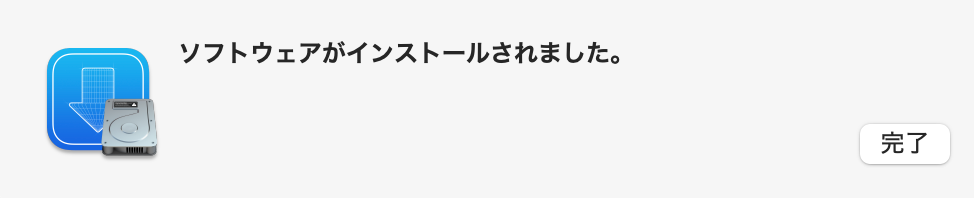
この画面が出たら完了です。
③xcode-select の設定をリセット
念のため、xcode-select の設定をリセットします。
sudo xcode-select --resetパスワードが聞かれたら、Macのログインパスワードを入力します。
④Gitの挙動確認
Gitが直ったかチェックします。
~ % git --version

git version 2.50.1 (Apple Git-155)
先ほどの怖いエラー文ではなく、バージョン情報が表示されているのでOKです。
⑤brewを使ってTerraformをインストール
もう一度Terraformインストールに挑戦しましょう。
~ % brew tap hashicorp/tap
~ % brew install hashicorp/tap/terraform
==> Auto-updating Homebrew...
Adjust how often this is run with `$HOMEBREW_AUTO_UPDATE_SECS` or disable with
`$HOMEBREW_NO_AUTO_UPDATE=1`. Hide these hints with `$HOMEBREW_NO_ENV_HINTS=1` (see `man brew`).
==> Fetching downloads for: terraform
✔︎ Formula terraform (1.14.1) [Verifying    31.9MB/ 31.9MB]
==> Installing terraform from hashicorp/tap
🍺  /usr/local/Cellar/terraform/1.14.1: 5 files, 103.8MB, built in 11 seconds
==> Running `brew cleanup terraform`...
Disable this behaviour by setting `HOMEBREW_NO_INSTALL_CLEANUP=1`.
Hide these hints with `HOMEBREW_NO_ENV_HINTS=1` (see `man brew`).
特にエラーも出ず!いけたっぽい!
本当にインストールできたか確認しましょう。
~ % terraform version
Terraform v1.14.1
on darwin_amd64
バージョン情報が表示されているのでOKです。
Terraform学習がんばるぞー!